AI face filters are everywhere right now — from viral TikTok selfies to aesthetic profile pictures and cinematic portrait edits. With just one click, AI can instantly transform your face into anime characters, glamorous beauty looks, cartoon avatars, vintage styles, or even hyper-realistic enhancements that once required professional editing skills.
Have you ever wondered how to make your photos look like anime characters? An AI face filter for your image can help you! It can easily transform a person's appearance with a range of art visual effects. With it, you can release your creativity to convey your unique self through a variety of looks and styles.


Part 1 Add AI Face Filter to Your Images Online
1.1 FlexClip
FlexClip’s AI Image to Image tool allows you to convert your images into visually-striking AI art in seconds. It offers over 80 AI face filters to transform your photos into digital art. The most popular ones are watercolor, oil painting, sketch, and manga. Basically, you can add any kind of face filter to transform your photo’s style. With its cutting-edge AI face filter, you can preserve the original details in photos while also generating a new style.
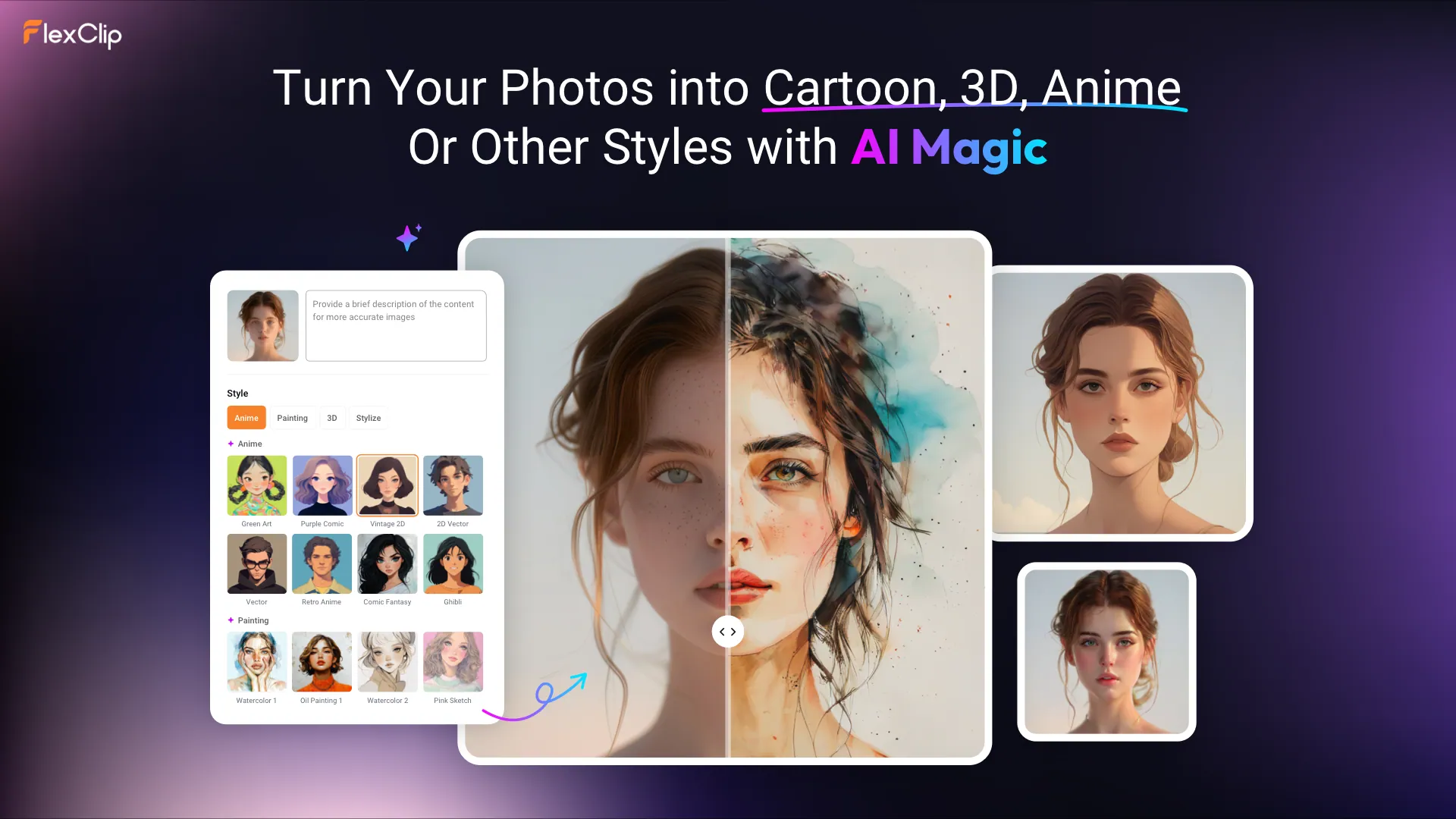
FlexClip's AI Image to Image Tool
With just a single click, all your desired face filters will be added to your photos, capturing intricate details and creative elegance. Say goodbye to complex editing processes and unleash your creativity with comfort and efficiency.
FlexClip also provides other ways for you to add AI filters online. If you find FlexClip doesn't have the preset AI filter you want, you can add it by entering a prompt. You can easily add AI filters using simple text descriptions. Just type what you want, and AI will handle the rest. Let’s convert your portraits, animal photos, landscape images and more to various artistic styles.
Besides, there are many AI image editing tools in FlexClip to accelerate your photo creation process. For example, its AI Photo Colorizer can easily colorize old, black, and white photos online. There are more possibilities waiting for you to explore.
Gender Swap AI Filter
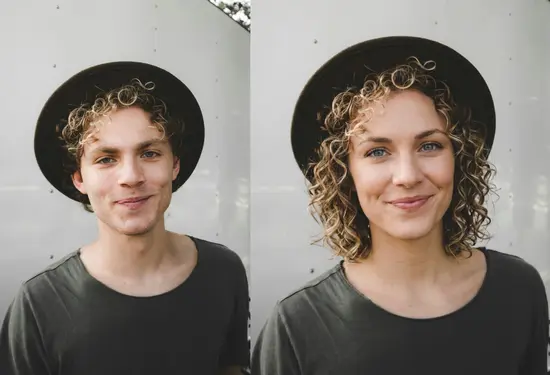
Gender Swap AI Filter Example - FlexClip
Beauty AI Face Filter
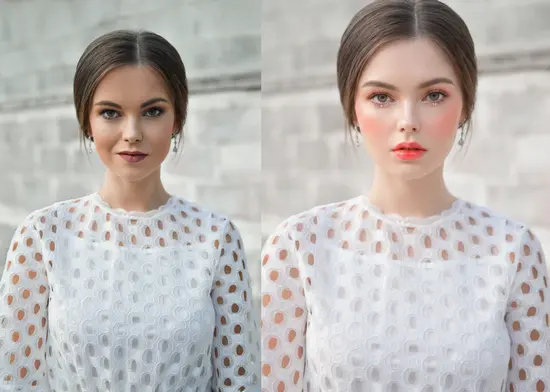
Beauty AI Face Filter Example - FlexClip
Old Age AI Face Filter
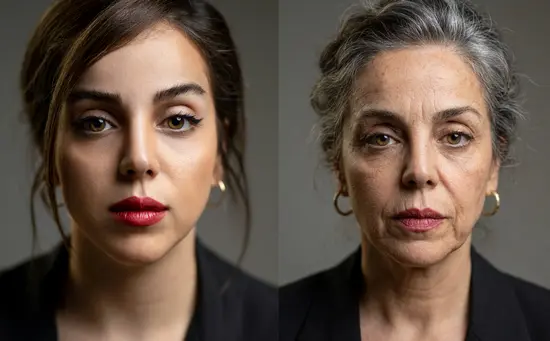
Old Age AI Face Filter Example - FlexClip
Method 1 Add AI Face Filters to Image with Preset Options
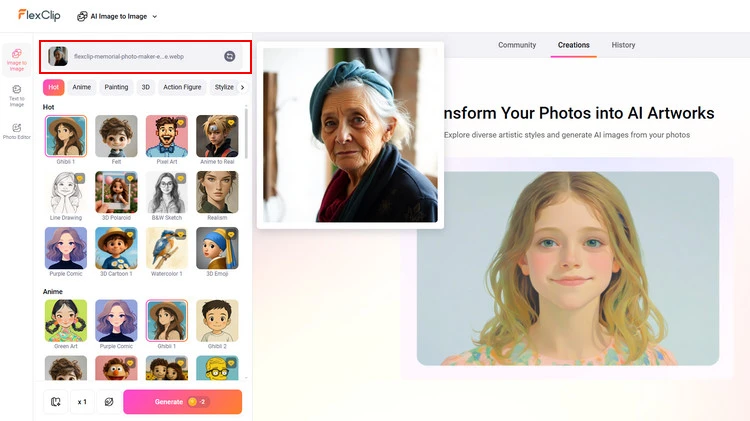
Upload Your Photos - FlexClip
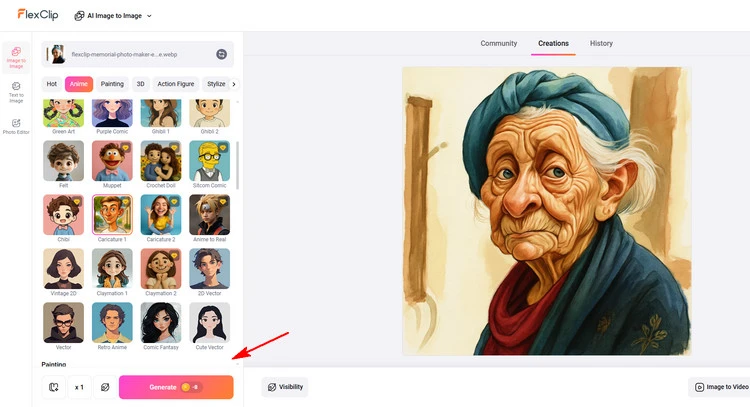
Add AI Face Filter to Photo - FlexClip
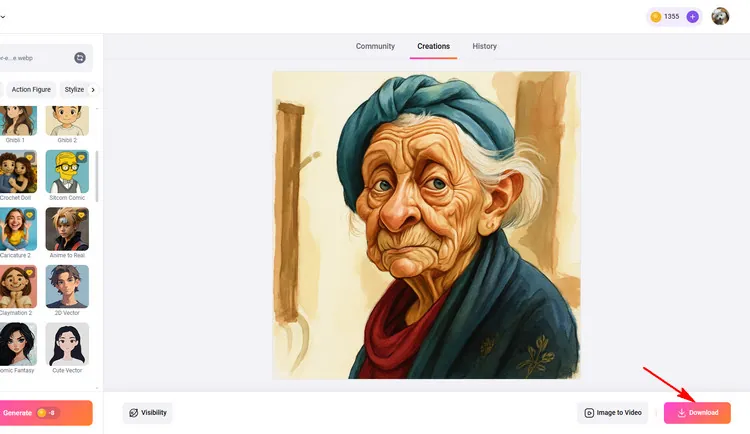
Download AI Face Filter Photo - FlexClip
Method 2 Add AI Face Filters to Image with Prompt
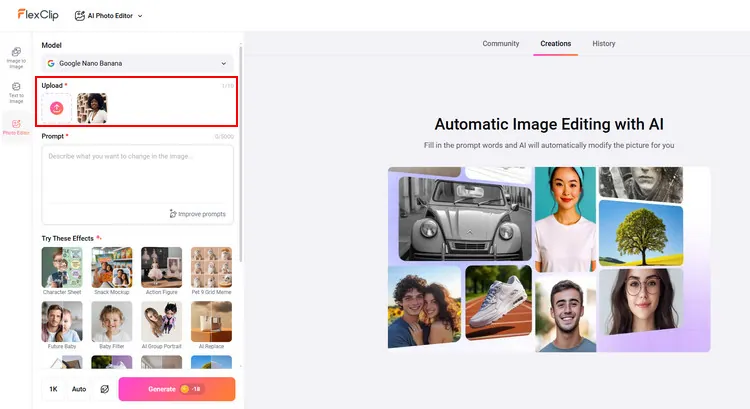
Upload Your Photos - FlexClip
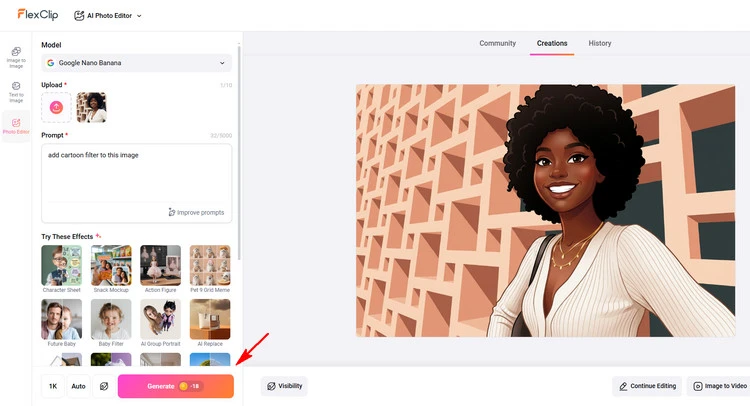
Add AI Face Filter to Photo - FlexClip
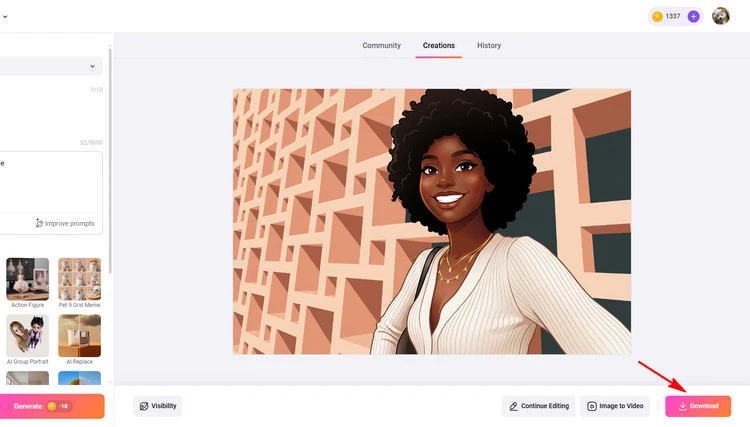
Download AI Face Filter Photo - FlexClip
1.2 Vidnoz
Vidnoz is an excellent tool dedicated to delivering user-friendly AI face filters for individuals. With it, you can transform a face picture into different styles in just a single click. This allows you to experience different looks naturally. Its AI Cartoon Generator is a free AI face filter for photo cartoonization. It helps convert your portrait photo to a cartoon style so you can create a unique anime character of yourself. Its AI Studio Ghibli Filter can help Studio Ghibli fans visualize them by converting their photo to a new one of this style.
Besides the AI face filters, Vidnoz also offers other interesting AI tools for face animation, dress change, etc. Taking it a step further, Vidnoz introduces Vidnoz AI, a free AI video generator that includes more AI tools for an even more dynamic experience.
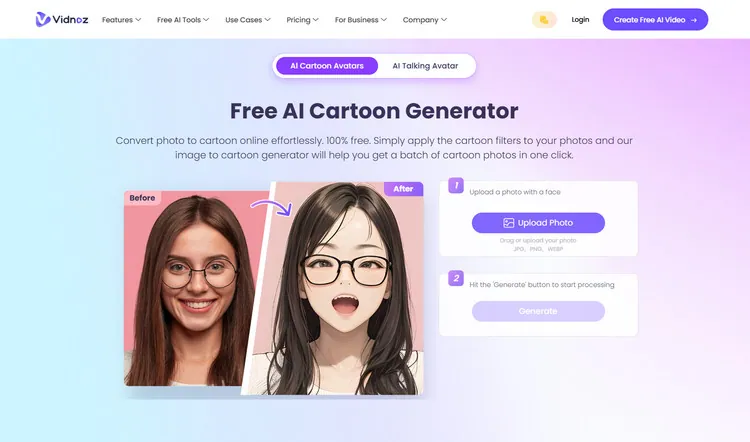
Add Your AI Filter Photo - Vidnoz
Part 2 Apps to Add AI Face Filter to Your Images
2.1 AI Morph
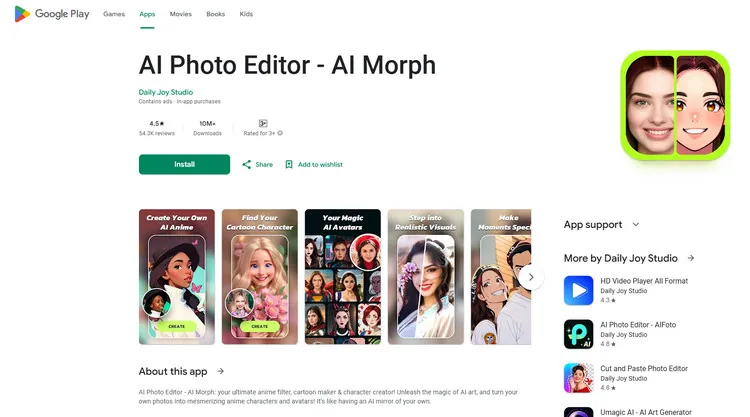
Add Your AI Filter Photo - AI Morph
AI Photo Editor - AI Morph by Daily Joy Studio will transform your photos into captivating anime characters and cartoon avatars using its advanced AI face filters. You can dive into the world of anime and cartoons with various face filters that turn you into legendary pirates, skilled ninjas, or charming elves. This app offers over 50 AI art styles, continuously updated, ensuring vibrant and diverse transformations.
It enables you to customize the strength of each style to create your ideal character with HD enhancements for flawless results. To share your anime creations effortlessly with friends, family, and even pets, making every photo a unique adventure in imagination and creativity. AI Photo Editor - AI Morph brings your anime dreams to life with its powerful AI face filter capabilities.
2.2 Prisma Art Effect Photo Editor
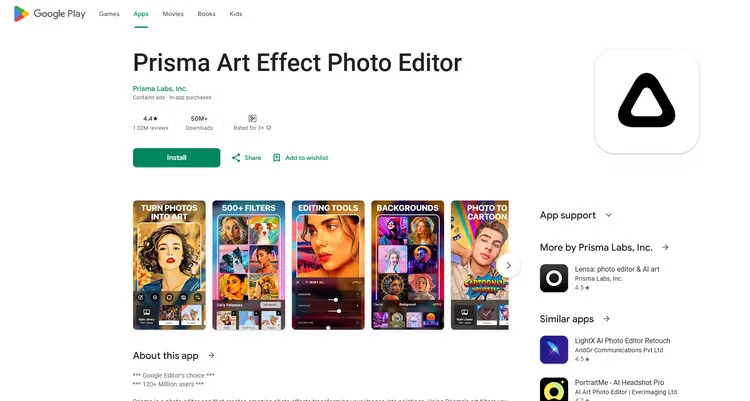
Add Your AI Filter Photo - Prisma Art Effect Photo Editor
Prisma Art Effect Photo Editor offers a sophisticated photo editing experience with over 500 artistic AI face filters, transforming ordinary photos into vibrant artworks reminiscent of famous painters like Picasso and Munch. The app introduces new AI face filters to keep creativity fresh daily, along with tools for fine-tuning images, adjusting exposure, sharpness, and more.
Users can enhance photos with blur effects or apply vibrant color enhancements, making it ideal for creating unique visual masterpieces. Despite occasional performance issues users report, Prisma remains a popular choice for its diverse range of effects and intuitive interface. Prisma is a versatile tool for enhancing photos with artistic flair, whether for casual editing or artistic projects.
The Final Words
That’s all for how to add AI face filters to images in 2 different ways. Just use these AI face filter tools to take your image to the next level. If you find this post helpful, please share it with others. By the way, FlexClip can help you do more photo editing, like converting images to 3D animation, restoring old photos, and so on. Have a try!




FlexClip AI Video Maker
Reach professional-quality videos faster with easy editing tools, templates, and smart AI.
Start Now for Free
Hot & Trending
-

Best Ways to Find Music in YouTube Videos
-
Instagram Story Video Quality Bad After Upload? Fix It!
-
How to Repost Video on TikTok & How to Remove TikTok Repost
-

Improve Video Quality Online: 3 AI Video Quality Enhancers You Can't Miss
-
4K Convert to HD 1080p without Watermark: Best 4k Video Converters
-

Best 8 Free Video Editors - No Download Required
-
Top 13 Birthday Video Makers with Music and Effects Free
-
How to Search Filters on TikTok & Use a Filter You See - TikTok Filter Guide